 Chrome Web Store










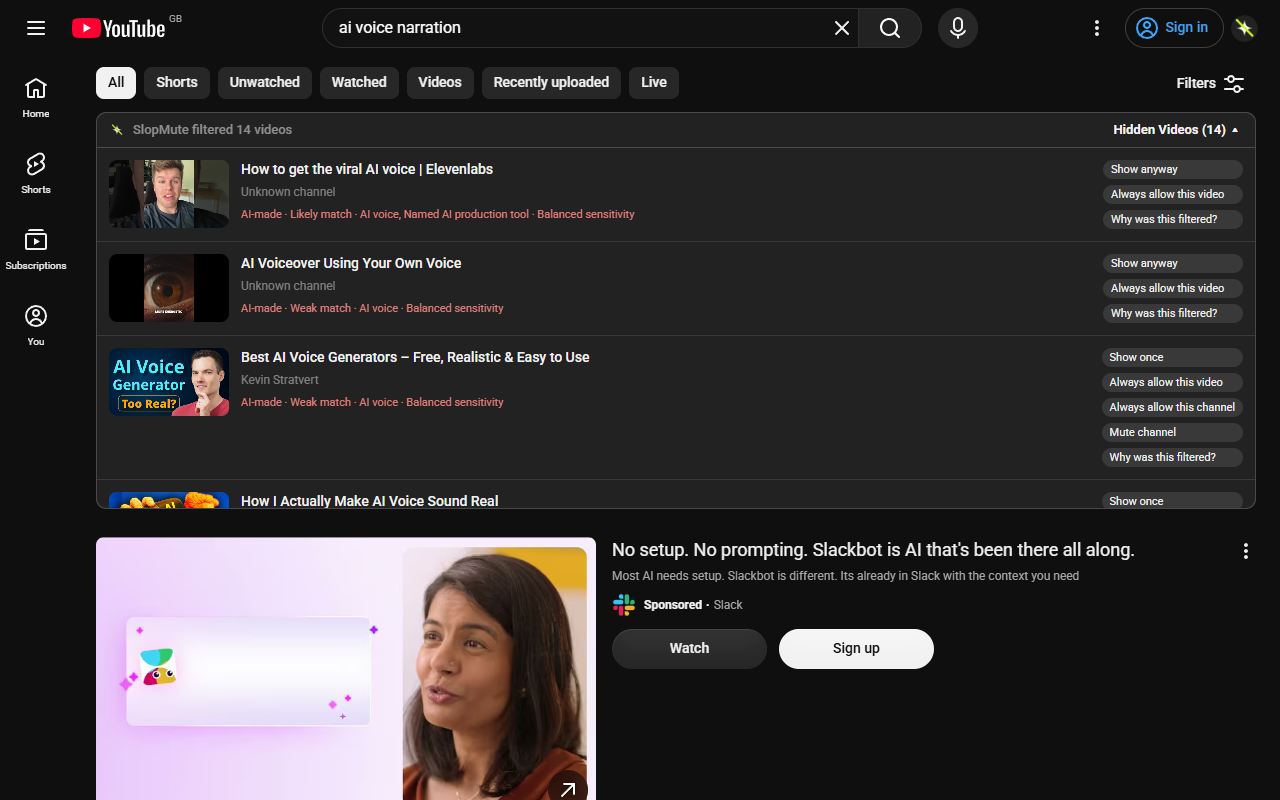
AI-generated videos
Videos whose visible YouTube text shows signs of AI-generated production, including disclosures, named tools and production language.
Generative disclosuresNamed AI toolsSynthetic narrator tags
SlopMute filters AI-generated videos, AI-topic content and automated low-quality uploads directly from your YouTube feed. Free, runs in your browser, and every removal can be undone.
Runs locally · No account
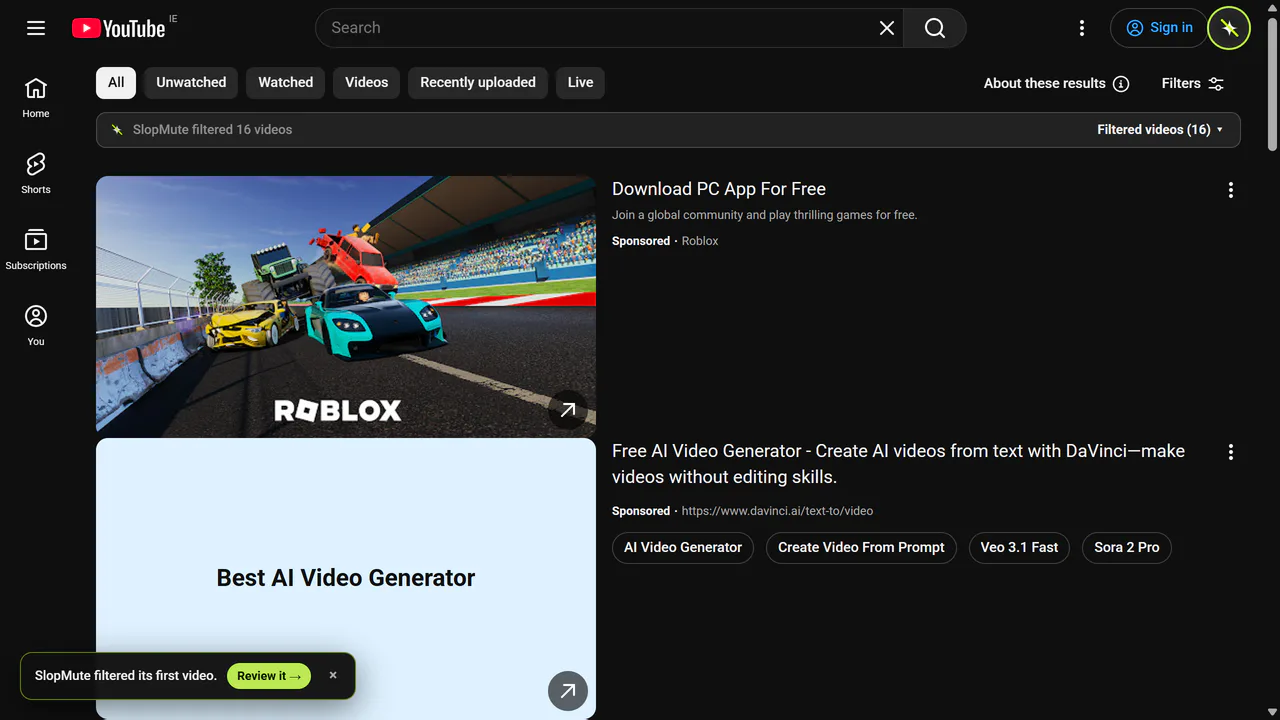
Three steps
No account, a short guided setup, and nothing to run manually once you are browsing.
SlopMute is a free browser extension for Chrome, Brave, Edge and Firefox. There is no account to create, and a short guided setup starts with sensible defaults.
Turn on AI-made videos, automated slop, videos about AI, or any combination. Each category is a separate switch with its own sensitivity.
Filtering happens as pages load, on your home feed, search, watch-next and Shorts. There is no button to press and no scan to start.
What it reads
It reads the text YouTube already shows — titles, channels, badges, labels and visible metadata — and matches it against rules stored inside the extension. No audio, no transcripts, no video frames, no cloud detector.
Three separate controls
Videos whose visible YouTube text shows signs of AI-generated production, including disclosures, named tools and production language.
Repetitive, copied, faceless and mass-produced formats, without treating every AI topic as automated.
A separate switch for AI news, tutorials, model releases and discussion. Leave it off if you only want production signals filtered.
Mistakes stay fixable
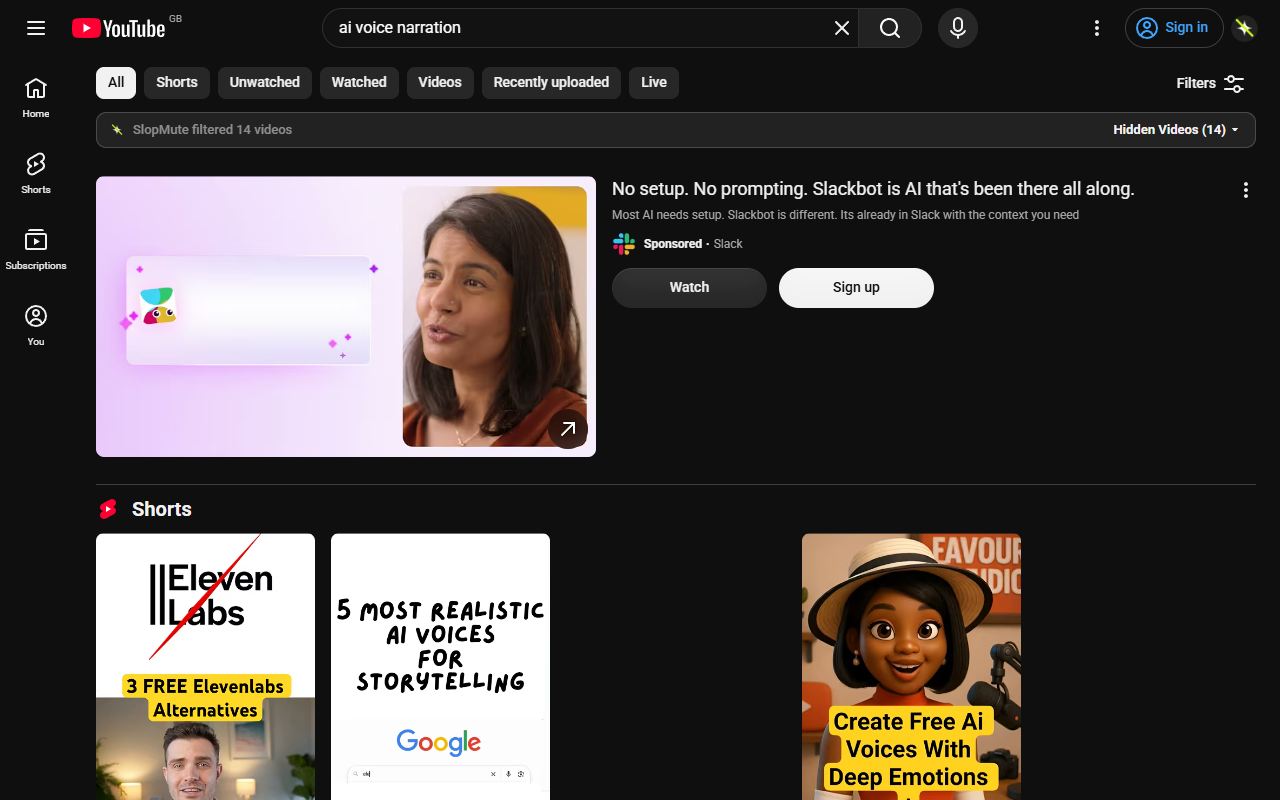
False positives matter more than a high hidden count. SlopMute is built to leave a video alone when the evidence is thin, and to make any decision it does make easy to reverse.
Filtered videos collapse into a review list rather than disappearing. Show a result, allow that video, or allow the channel. Nothing is deleted and no correction is permanent.
Rules execute locally against the text YouTube already put on the page. It does not read transcripts, inspect video frames, or send anything to a cloud AI detector.
There is no login and no scoring server. Your YouTube page content, watch history and corrections are never sent to SlopMute.
Useful answers
Install SlopMute, turn on the categories you want removed, and browse YouTube as usual. Matching videos are filtered as pages load, using the action you chose: hide, blur, dim or a warning.
SlopMute reduces videos whose visible YouTube text matches the categories you enable, including AI-production disclosures, named AI tools and production language. It works across supported YouTube surfaces without claiming perfect detection.
Yes, and this is the distinction most filters miss. A human-made documentary about AI is not an AI-made video. They are two independent switches, so you can remove synthetic uploads while keeping every human discussion of AI, or the reverse.
Yes. The automated slop category looks for visible signs of repetitive, copied, faceless or mass-produced formats. It is deliberately conservative and does not treat every AI topic as automated.
Yes. Once a category is on, filtering runs as YouTube loads results. There is nothing to start, and it keeps working as you scroll through new videos.
Yes. Shorts have their own behaviour, so you can match your category actions, show a warning, skip, or leave Shorts alone entirely.
Yes. Filtered results stay in a review list. You can show a result, allow that video or allow the channel. Nothing is deleted and no correction is permanent.
Filtering runs in your browser. Your YouTube page content, browsing history and corrections are not sent to SlopMute or to an external AI service for scoring. There is no account and no scoring server.
No. SlopMute reads the text YouTube already puts on the page, so it can only act on what is visible. It will miss videos, and it can occasionally filter something you wanted. That is exactly why every decision stays reviewable and reversible.
SlopMute for YouTube
Runs locally · No account
Free · No account · Undo anything