 Chrome Web Store










Filtering stays on this device
No watch-history upload or cloud classifier.
Live for YouTubeFree
Hide AI-made videos and low-quality automated uploads from YouTube. Optionally filter videos about AI too. Everything runs locally, with no account required.
Runs locally · No account
No watch-history upload or cloud classifier.
Review and restore any matched video.
YouTube, current-tab and thumbnail access are explained below.
How it works
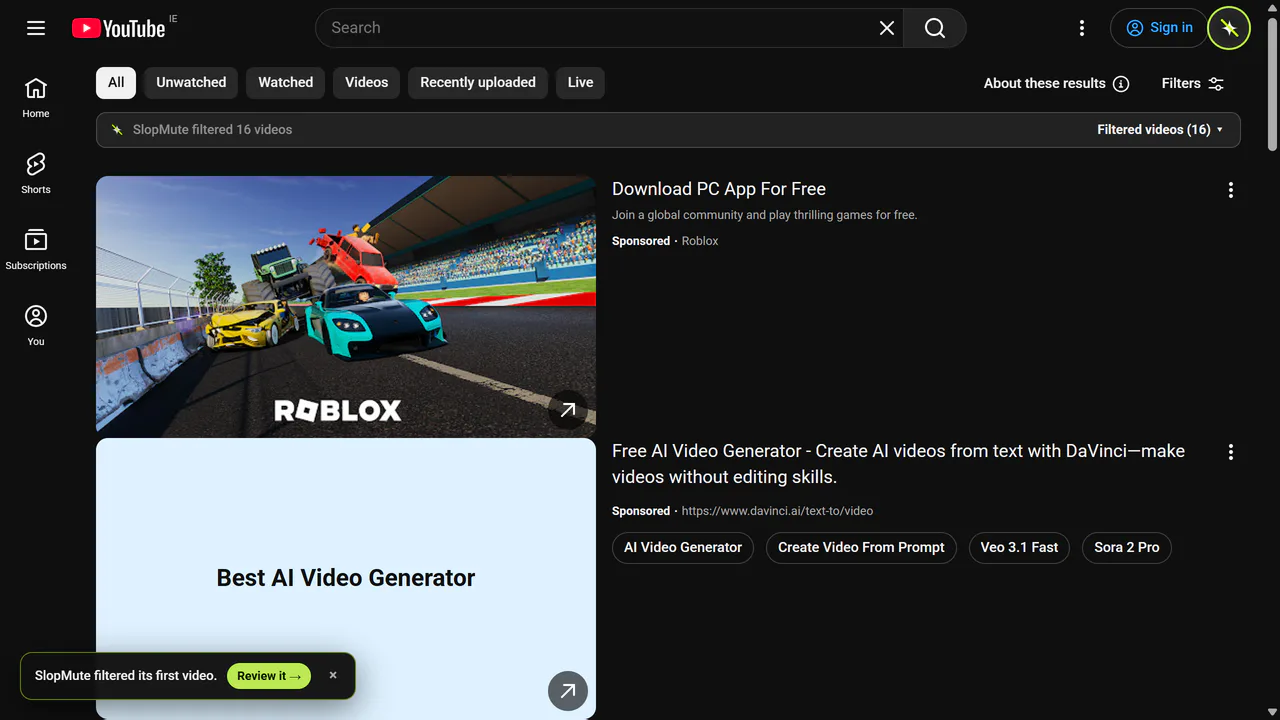
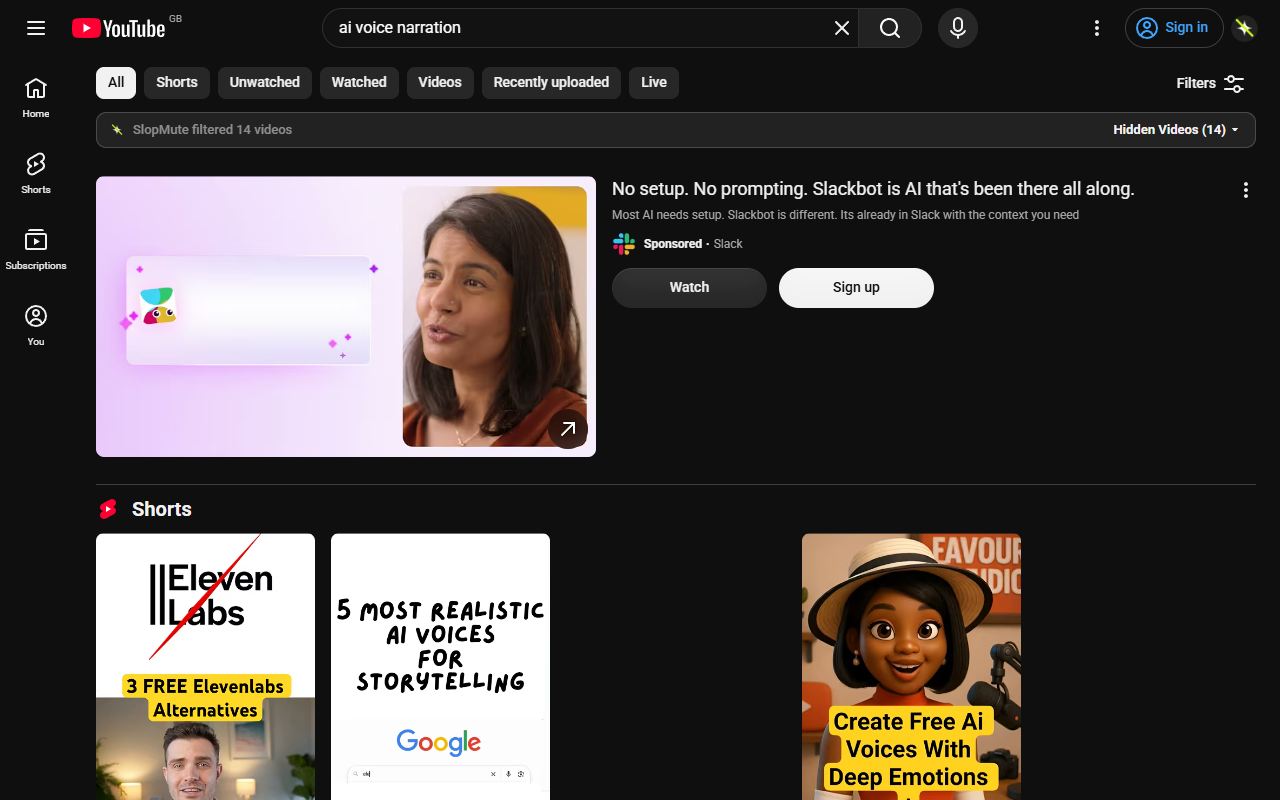
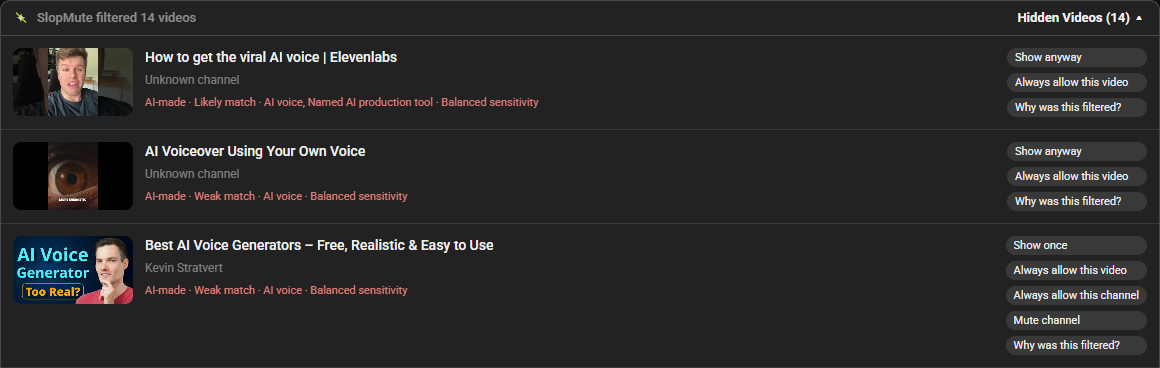
SlopMute cleans the page without replacing it. Matches move into a compact review list, and the original controls are always one click away.
It checks visible titles, labels, channel details and disclosures on the page.
Your layout stays usable instead of filling with warning badges and blocked-card gaps.
Open the review list to show a video once, allow it permanently or understand the match.
Three independent filters
Start with the recommended mode, then tune each category separately. SlopMute is explicit about its limits and can occasionally match something you wanted.
Looks for production signals in titles, descriptions and YouTube disclosures.
Text mentions of AI voices, generated visuals and named generation toolsReduces repetitive, faceless and mass-produced uploads using a separate set of text-based rules.
Copied formats, templated uploads and repetitive narrationA separate switch for AI news, tutorials and product coverage when you want a full break.
Model news, prompt tutorials and AI product launchesPick a protection mode or adjust all three filters yourself.
Pick a starting point, then adjust the three categories underneath.
Hide videos created with AI voices, visuals, music, or production tools.
Hide repetitive, faceless, copied, and mass-produced videos.
Hide AI news, tutorials, product releases, and discussions.
SlopMute reads the text YouTube already shows. It can miss things, and it can flag a video you wanted.
No AI slopAI-made videos hidden (Balanced) · Automated slop hidden (Balanced)
Private by design
Extension filtering uses information already visible on YouTube. Your choices are stored on this device, and SlopMute does not ask for your browsing history.
Read the full privacy policyBuilt around YouTube
SlopMute follows YouTube's changing page layouts and handles each surface appropriately. Browse cards can be hidden; a video you deliberately opened is warned about, not taken away.
Filter recommendations and subscription cards without rebuilding the page around SlopMute.
Keep looking for something specific while the same local rules run on every supported result.
Chosen videos stay visible. SlopMute warns above the player and gives you the final say.
Hide flagged shelf cards, or choose a light warning or guarded auto-skip in the Shorts viewer.
Current product scope: YouTube on compatible desktop browsers. Available through Chrome Web Store and Firefox Add-ons. SlopMute does not claim support for any other website.
Before you install
SlopMute is a transparent text-and-rules filter, not an AI detector that can see inside a video.
Ask a question or report a problemNo. It checks text and labels already visible on YouTube, such as titles, channel details and platform disclosures. It does not inspect video frames, audio or transcripts.
Every match stays in a review list. You can show it once, allow that video, allow the channel, or change the filter that caught it.
No text-based filter can promise that. A video with no visible production clue may get through, and an ambiguous title may occasionally be flagged. SlopMute shows its reasons and makes corrections easy.
No. Filtering, settings, channel rules and corrections stay in your browser. There is no SlopMute account, cloud classifier or browsing-history upload.
SlopMute for YouTube
Runs locally · No account
Free · No account · Review permissions before adding